
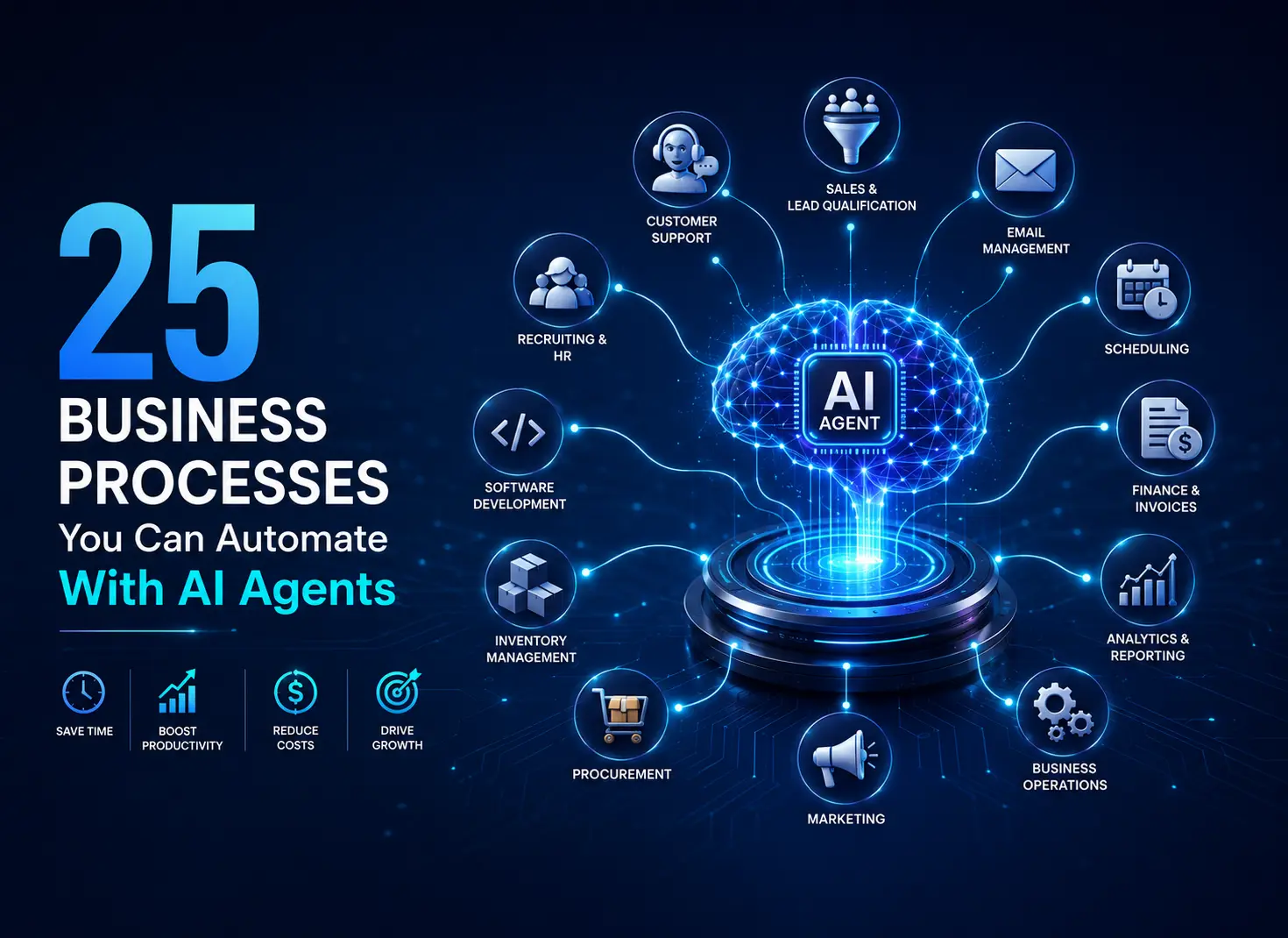
25 Business Processes You Can Automate With AI Agents
25 Business Processes You Can Automate With AI Agents
AI is moving beyond answering questions and generating content. A new generation of AI agents can analyze information, use software tools, make decisions based on predefined rules, and complete multi-step workflows with limited human intervention.
For businesses, this creates an important opportunity: instead of using AI only as an assistant, companies can use AI agents to automate entire processes.
From qualifying sales leads and responding to customer inquiries to generating reports and monitoring competitors, there are dozens of workflows where AI agents can reduce repetitive work and help teams move faster.
But not every process should be fully automated. The best candidates are usually repetitive, rules-driven workflows where an AI agent can operate within clearly defined permissions and where a human can review higher-risk decisions.
Here are 25 business processes you can automate with AI agents.
What Is an AI Agent?
An AI agent is a software system that can pursue a goal by planning steps, using tools, accessing information, and taking actions.
A traditional chatbot might answer:
“What is our return policy?”
An AI agent could potentially:
- Identify the customer.
- Check the relevant order.
- Review the return-policy rules.
- Determine whether the order qualifies.
- Create a return request.
- Notify the customer.
- Update the appropriate business system.
The difference is important.
Chatbots primarily communicate. AI agents can execute workflows.
The exact level of autonomy depends on the system, its permissions, the tools it can access, and the safeguards established by the business.
25 AI Agent Use Cases for Business
1. Lead Qualification
Sales teams spend significant time reviewing incoming leads and determining which prospects deserve immediate attention.
An AI agent can collect information from forms, CRM records, company websites, and other approved sources to evaluate leads against predefined criteria.
It could then:
- Score leads
- Identify high-priority prospects
- Enrich company information
- Assign leads to sales representatives
- Update CRM records
- Trigger follow-up workflows
Best approach: Let the agent handle qualification and routing while keeping important sales decisions under human control.
2. Customer Support
Customer service is one of the most obvious applications for AI agents.
An agent can potentially handle common requests by searching approved knowledge bases and interacting with business systems.
Examples include:
- Order-status questions
- Appointment changes
- Account questions
- Product information
- Returns
- Basic troubleshooting
Instead of simply generating an answer, the agent can complete the underlying task when appropriate.
For sensitive or unusual cases, it can escalate the conversation to a human representative.
3. Email Management
Employees can spend hours processing email every week.
AI agents can help classify incoming messages and determine what action is required.
For example, an agent might:
- Categorize emails
- Identify urgent requests
- Extract action items
- Draft responses
- Route messages to departments
- Create tasks
- Summarize long conversations
Businesses should generally use approval workflows before allowing an agent to send sensitive or consequential messages automatically.
4. Meeting Scheduling
Scheduling meetings often requires unnecessary back-and-forth.
An AI agent can coordinate calendars, identify available times, send invitations, and update participants.
A scheduling workflow might look like:
Meeting request → Calendar analysis → Available slots → Confirmation → Calendar invitation
This is particularly useful for sales teams, recruiting teams, executives, and customer-success departments.
5. Meeting Summaries and Follow-Ups
AI agents can turn meetings into actionable workflows.
After a meeting, an agent could:
- Summarize the discussion.
- Extract decisions.
- Identify action items.
- Assign tasks to the appropriate people.
- Update project-management software.
- Draft follow-up emails.
The key advantage isn’t merely producing a transcript or summary. It’s connecting the meeting to the next steps.
6. Market Research
Research often involves collecting information from multiple sources and organizing it into a usable format.
An AI research workflow can help gather:
- Competitor information
- Industry developments
- Customer trends
- Product announcements
- Market statistics
- Public company information
The agent can organize findings into reports for human review.
For important business decisions, sources should always be verified rather than treating AI-generated research as automatically accurate.
7. Competitor Monitoring
Businesses need to know when competitors change their products, pricing, messaging, or positioning.
An AI agent can monitor approved information sources and alert teams when meaningful changes occur.
For example:
Competitor launches new pricing page → Agent detects change → Summarizes differences → Sends alert to marketing team
This can turn competitor research from a manual weekly task into an ongoing monitoring process.
8. Sales Follow-Up
Sales representatives often lose opportunities because follow-ups are delayed or inconsistent.
AI agents can help monitor CRM activity and identify prospects requiring attention.
Possible actions include:
- Identifying overdue follow-ups
- Summarizing previous conversations
- Drafting personalized emails
- Creating follow-up tasks
- Updating opportunity records
- Alerting sales representatives
For external communication, human approval can be used for higher-value opportunities.
9. CRM Data Management
Poor CRM data creates problems throughout an organization.
AI agents can assist with repetitive CRM maintenance, including:
- Updating records
- Standardizing fields
- Detecting duplicates
- Extracting information from conversations
- Categorizing opportunities
- Identifying incomplete records
Better data quality can make downstream sales reporting and forecasting more useful.
10. Invoice Processing
Finance teams frequently process invoices that follow relatively predictable workflows.
An AI-powered process can extract invoice information, match it against purchase orders or approved records, and route exceptions to the appropriate employee.
A typical workflow could be:
Invoice received → Information extracted → Records matched → Validation → Approval or exception
Because financial errors can be costly, organizations should establish appropriate approval and audit controls.
11. Expense Management
Expense reports can also contain repetitive administrative work.
An AI agent can help:
- Categorize expenses
- Extract receipt information
- Identify missing information
- Check expenses against policies
- Flag unusual transactions
- Prepare reports for review
The agent can handle routine verification while humans make final decisions on exceptions.
12. Financial Reporting
Creating recurring reports often requires collecting information from several systems.
An AI agent can help assemble information, calculate predefined metrics, identify anomalies, and generate draft commentary.
For example:
Data sources → Data collection → Metric calculation → Variance detection → Draft report → Human review
This can significantly reduce the manual preparation required for recurring management reports.
13. Recruiting and Candidate Screening
Recruiters can use AI agents to assist with repetitive administrative processes.
Potential applications include:
- Organizing applications
- Matching candidates against predefined job requirements
- Scheduling interviews
- Sending routine communications
- Summarizing interview feedback
- Updating recruiting systems
However, hiring decisions can have significant consequences. AI should not be treated as an unquestioned decision-maker, and organizations need appropriate human oversight and compliance controls.
14. Employee Onboarding
Employee onboarding often requires coordinating several departments and systems.
An AI agent can create a personalized onboarding checklist and coordinate routine steps such as:
- Sending welcome information
- Creating tasks
- Scheduling meetings
- Requesting required documentation
- Tracking completion
- Reminding responsible teams
This helps ensure that important onboarding steps don’t fall through the cracks.
15. Internal Knowledge Management
Employees frequently waste time searching for information scattered across documents, wikis, emails, and business applications.
AI agents can help employees locate relevant information and summarize it.
More advanced workflows can potentially identify outdated documentation and notify the responsible team.
The goal isn’t simply to create another chatbot. It’s to create a system that can connect employees with trusted organizational knowledge.
16. Content Operations
Marketing teams can automate parts of their content workflow with AI agents.
For example, an agent could help:
- Research topics
- Analyze search intent
- Build content briefs
- Identify internal-link opportunities
- Repurpose existing content
- Generate social-media drafts
- Organize editorial calendars
Human editors should remain responsible for accuracy, brand voice, originality, and final publication decisions.
17. Social Media Monitoring
AI agents can monitor approved social and web sources for mentions of a company, product, or topic.
They can then categorize conversations such as:
- Positive feedback
- Customer complaints
- Product questions
- Industry discussions
- Potential reputation issues
Rather than requiring employees to monitor everything manually, the system can surface conversations that deserve attention.
18. IT Help Desk Automation
Internal IT teams receive many repetitive requests.
AI agents can assist with issues such as:
- Password-reset workflows
- Software-access requests
- Troubleshooting guides
- Ticket classification
- Knowledge-base searches
- Ticket routing
For actions involving privileged access or sensitive systems, stronger authentication and approval controls are essential.
19. Software Development
AI coding agents can assist developers with multi-step engineering tasks.
Depending on the system and permissions, an agent may help:
- Understand a codebase
- Write code
- Generate tests
- Find bugs
- Refactor code
- Review changes
- Update documentation
A useful workflow is to allow the agent to work within a controlled development environment while requiring human review before production deployment.
20. Quality Assurance
Testing is another area where AI agents can automate repetitive work.
An agent can help execute predefined tests, analyze failures, generate test cases, and summarize results.
For software teams, this can connect development and testing into a more continuous workflow.
The most reliable implementations combine automated testing with human review for complex or high-impact changes.
21. Procurement
Procurement involves collecting information, comparing options, and coordinating approvals.
AI agents can assist with:
- Supplier research
- Quote comparison
- Purchase-request processing
- Document organization
- Contract information extraction
- Approval routing
Businesses should establish spending limits and approval requirements before allowing agents to take purchasing actions.
22. Inventory Monitoring
Companies managing physical products can use AI-powered workflows to monitor inventory data and identify potential issues.
An agent might detect:
- Low-stock products
- Unusual demand
- Delayed replenishment
- Inventory discrepancies
- Potential overstock
The system can then notify the responsible team or initiate a predefined workflow.
23. Contract and Document Processing
Legal and operations teams often work with large volumes of documents.
AI agents can help extract structured information such as:
- Contract dates
- Renewal periods
- Payment terms
- Obligations
- Key clauses
- Missing information
For legal decisions or contractual commitments, AI output should be reviewed by qualified professionals.
24. Business Intelligence and Data Analysis
AI agents can make data analysis more accessible by connecting natural-language questions with approved business data.
A manager could ask:
“Why did sales decline last month?”
An agent could potentially retrieve the relevant data, analyze predefined metrics, identify significant changes, and produce a draft explanation.
The important distinction is between analysis assistance and blindly allowing an AI system to make unsupported business conclusions.
25. Daily Business Operations
The most powerful use case may eventually be connecting several smaller workflows together.
Imagine a business operations agent that starts the day by:
- Reviewing key metrics
- Checking customer issues
- Monitoring sales activity
- Identifying overdue tasks
- Reviewing inventory alerts
- Summarizing important changes
- Preparing a prioritized action list
Instead of automating one isolated task, the agent becomes an orchestration layer across multiple business systems.
This is where autonomous AI becomes particularly interesting.
How to Decide What to Automate With an AI Agent
Not every business process is a good candidate for autonomous automation.
Before deploying an agent, evaluate the workflow using five questions.
1. Is the process repetitive?
If employees perform the same sequence of actions every day, automation may offer significant value.
2. Can success be clearly measured?
A process is easier to automate when you can define what a successful outcome looks like.
3. What happens if the agent makes a mistake?
Low-risk errors are very different from financial, legal, medical, security, or reputational mistakes.
4. What permissions does the agent need?
Follow the principle of least privilege. Give an agent only the access required to complete its assigned workflow.
5. Where should humans remain involved?
Use approval gates for decisions where errors could have significant consequences.
The Best AI Agent Strategy: Start Small
The biggest mistake businesses can make is trying to automate an entire department immediately.
Instead, choose one workflow.
For example:
Manual: Salesperson spends 30 minutes researching every new lead.
Then redesign it:
AI agent: Collect approved information → summarize company → identify relevant signals → update CRM → salesperson reviews.
Measure the result.
Track:
- Time saved
- Completion rate
- Error rate
- Cost per task
- Human interventions
- Customer impact
If the workflow performs reliably, expand it.
What Businesses Shouldn’t Automate Blindly
Autonomous AI creates new risks because an agent doesn’t merely generate information—it may have the ability to act.
Be especially cautious with workflows involving:
- Large financial transactions
- Sensitive personal information
- Privileged system access
- Legal commitments
- Employment decisions
- Irreversible actions
- Customer account changes
- Security controls
The goal shouldn’t be maximum autonomy.
The goal should be appropriate autonomy.
The Future of AI Agents in Business
AI automation is evolving from simple task automation toward systems capable of managing increasingly complex workflows.
The progression looks something like this:
AI assistant → AI automation → AI agent → Multi-agent workflow → AI-driven business operations
But greater autonomy also increases the importance of security, monitoring, evaluation, permissions, reliability, and human oversight.
For businesses, the winning strategy won’t necessarily be the company that gives AI the most freedom.
It will likely be the company that identifies the right tasks to delegate, designs reliable workflows around them, and measures the results.
Final Takeaway
AI agents can potentially automate a wide range of business processes from lead qualification and customer support to research, finance, software development, and operations.
But successful AI automation isn’t about replacing every human task.
It’s about identifying repetitive workflows where AI can handle meaningful portions of the work while humans retain control over important decisions.
Start with one measurable process. Give the agent limited permissions. Add verification and approval where necessary. Measure the results. Then scale what works.
The future of business automation isn’t simply about AI that can do more. It’s about designing systems that know what AI should and shouldn’t do.

Uncategorized
AIoT: How AI and IoT Are Creating Smarter Connected Systems
The Internet of Things (IoT) has transformed the way businesses connect devices, collect data, and monitor physical environments. But collecting data is only the beginning. The next step is making that data intelligent. AIoT, or Artificial Intelligence of Things, combines artificial intelligence with IoT to create connected systems that can analyze information, identify patterns, make…

Uncategorized
AI-Native Software Development: How AI Is Changing the Way Software Is Built
Software development is entering a new phase. Artificial intelligence is no longer being used only as a coding assistant that suggests a few lines of code. AI is increasingly becoming part of the entire software development lifecycle—from planning and architecture to coding, testing, deployment, monitoring, and maintenance. This shift is known as AI-native software development.…

Uncategorized
How to Migrate a Domain Safely Without Downtime
Your domain is more than a web address. It connects customers to your website, email, applications, landing pages, and other digital services. When you need to move your domain to a new registrar, poor planning can lead to unnecessary downtime, broken email, DNS problems, or delays. The good news is that domain migration does not…
Delivering scalable software that drives real business growth.

